
Central ERP for Trades & Field Services
Field service ERP for trades businesses that run on jobs
Central ERP is field service ERP for trades and service businesses that schedule callouts, installs and maintenance visits. It links jobs, engineers, stock, customers and invoicing in one cloud system, so work moves from booking to payment without paperwork getting lost along the way.
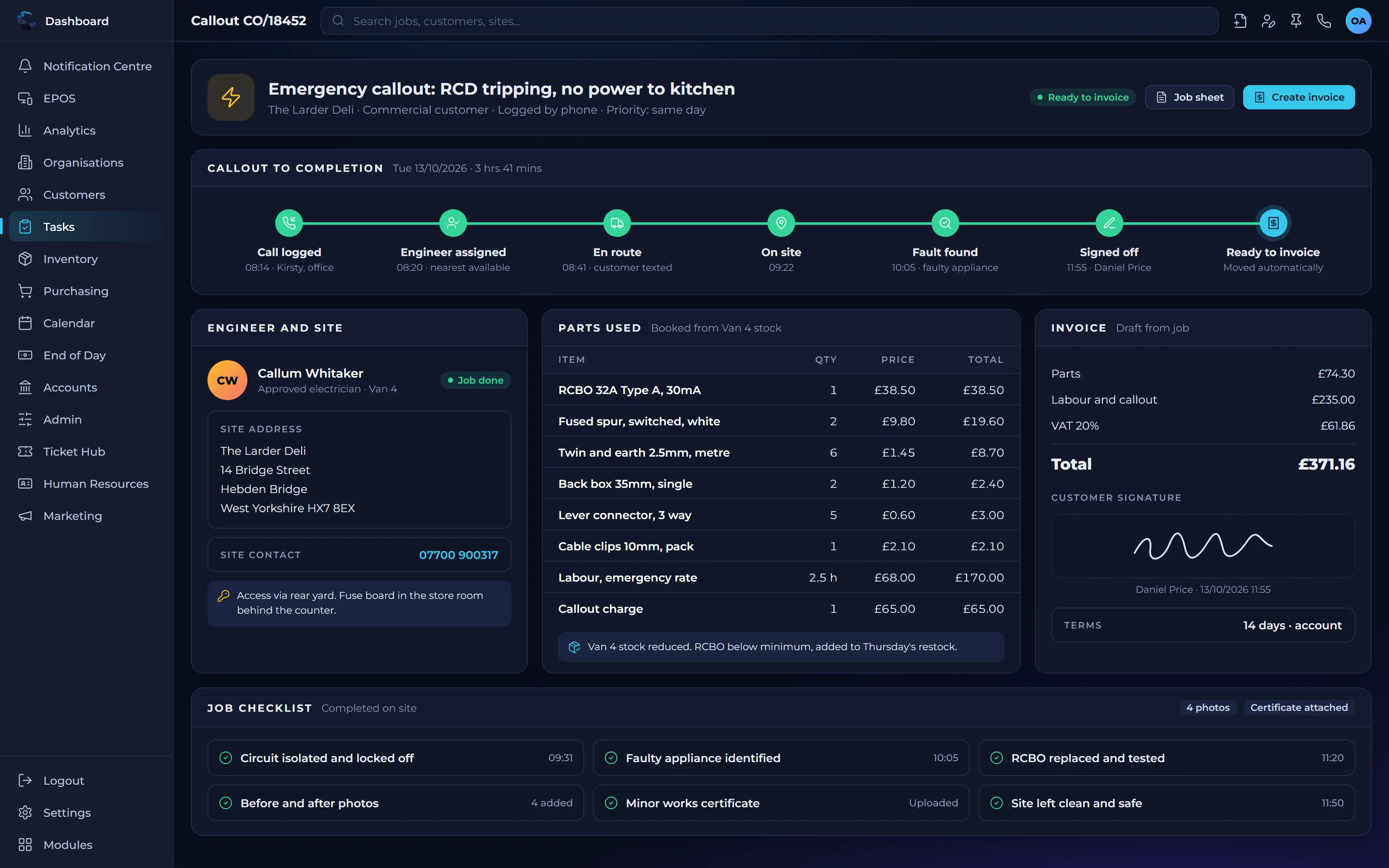
Common challenges for trades and field service firms
- Job sheets on paper that arrive back at the office days later
- Engineers turning up without the right parts or information
- Diaries managed on whiteboards and in separate apps
- Completed jobs waiting too long to be invoiced
How field service ERP keeps jobs on track
Callouts and installs scheduled
Field Service Management helps you plan and assign callouts and installs, so the right engineer reaches the right job.
Parts where they are needed
Inventory Management tracks stock in the warehouse and in vans, so engineers arrive with what the job requires.
From completion to invoice
Finished jobs flow into Financial Management, so invoices go out promptly and cash flow improves.
Your procedures, every job
Custom Tasks & Automation lets you define safety checks, sign offs and follow ups after every install, triggered automatically.
Customer history at hand
Customer Record Management keeps sites, contacts and previous visits together, so every engineer has the full picture.
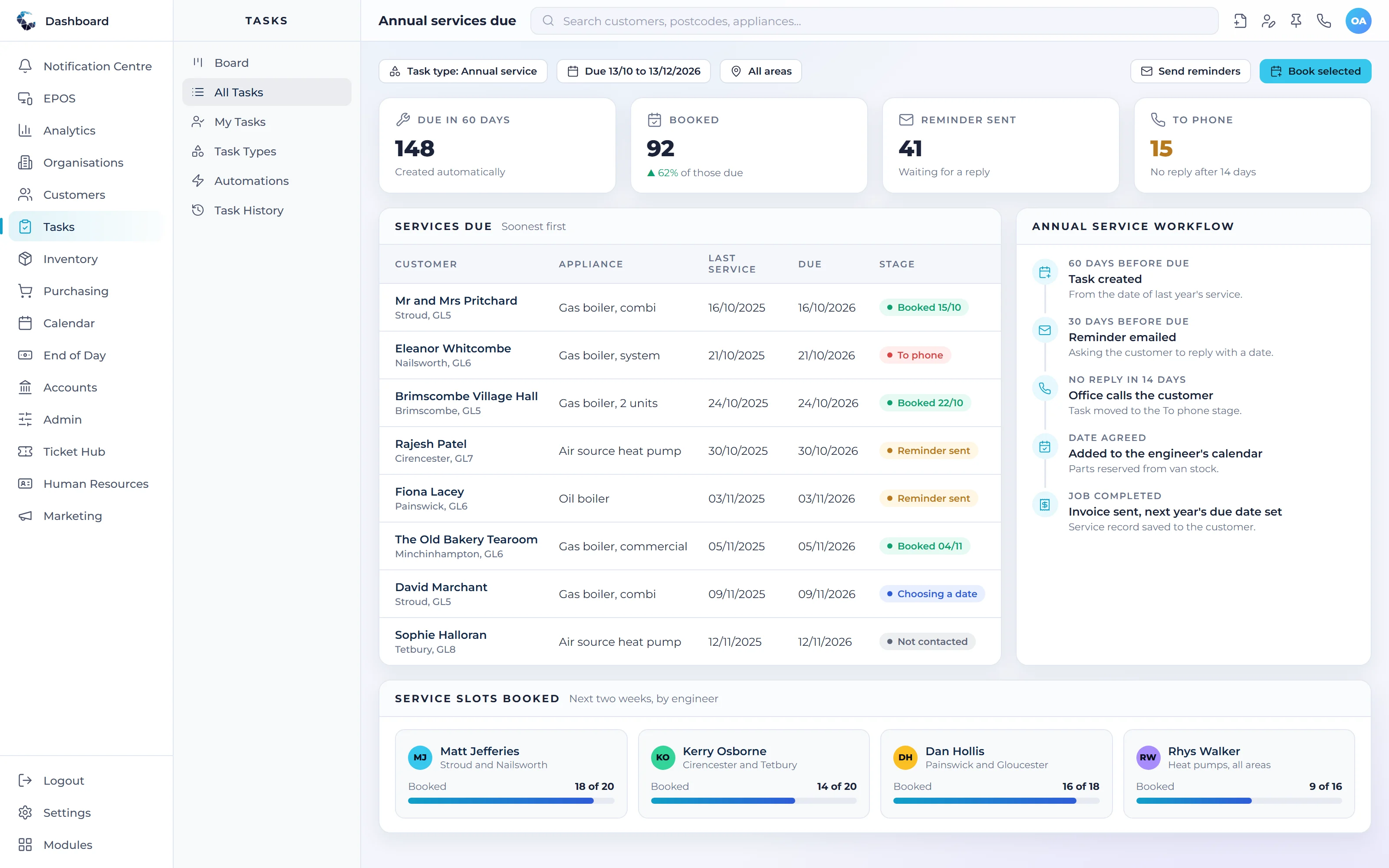
Modules trades & field services businesses rely on
Start with the modules you need today and switch on more as you grow. Everything shares the same live data.
- Field Service ManagementSchedule callouts and installs, and close jobs faster
- Inventory ManagementAccurate stock levels across every location
- Custom Tasks & AutomationDefine your own procedures and automate them
- Customer Record ManagementEvery customer, contact and conversation in one place
- Financial ManagementInvoicing, cash and financial control in real time
- Project ManagementPlan, assign and track work from start to finish
See Central ERP for trades & field services in action
A tailored demo, built around your processes, with no obligation.
ERP for trades & field services: your questions answered
What is field service ERP?
Field service ERP is software that manages the whole job cycle for trades and service businesses, from booking a callout or install to scheduling engineers, tracking parts, completing work and invoicing. Because it covers the wider business too, you avoid running separate job, stock and accounts systems.
How is Central ERP different from a job management app?
A job management app usually covers scheduling and job sheets only. Central ERP includes field service management alongside stock, purchasing, CRM, HR, payroll and finance in one integrated platform, so information flows from the job to the rest of the business without rekeying or extra subscriptions.
Can Central ERP enforce safety checks on every job?
Yes. With the custom task engine you can define your own checks, such as a risk assessment before work starts or a sign off when an install is complete. Conditions trigger these tasks automatically, so important steps are never skipped and you have a record that they happened.
Is Central ERP suitable for a growing trades business?
Yes. Central ERP is designed for SMEs, including trades businesses, whether you run a handful of engineers or a large team. You can start with field service, CRM and invoicing, then add stock, HR or payroll as you grow, with UK based support from an established technology partner.
How much does field service ERP cost?
Central ERP has a free plan for businesses just starting out, then Standard at £40 and Complete at £80 per user per month, excluding VAT, with custom plans for more complex needs. Because you pay per user, a trades business can keep costs in line with the size of its team.
Can Central ERP track stock in engineers' vans?
Yes. Inventory Management tracks stock in your warehouse and in vans, so you can see what each engineer is carrying and what needs replenishing. That helps engineers arrive with the right parts, reduces return visits and keeps stock figures accurate as items are used on jobs.
Do I still need separate accounts software with field service ERP?
Not necessarily. Central ERP includes Financial Management, so completed jobs can be invoiced from the same system. If you or your accountant prefer Xero, Central ERP integrates with it through its API, so invoices flow across automatically and nobody keys the same figures twice.