
Services & People
Project management software for business, connected to everything else
Central ERP's project management software for business lets you plan, assign and track work in the same system as your customers, stock and finance. Everyone can see what is due, who owns it and how each project is progressing, without switching between separate tools.
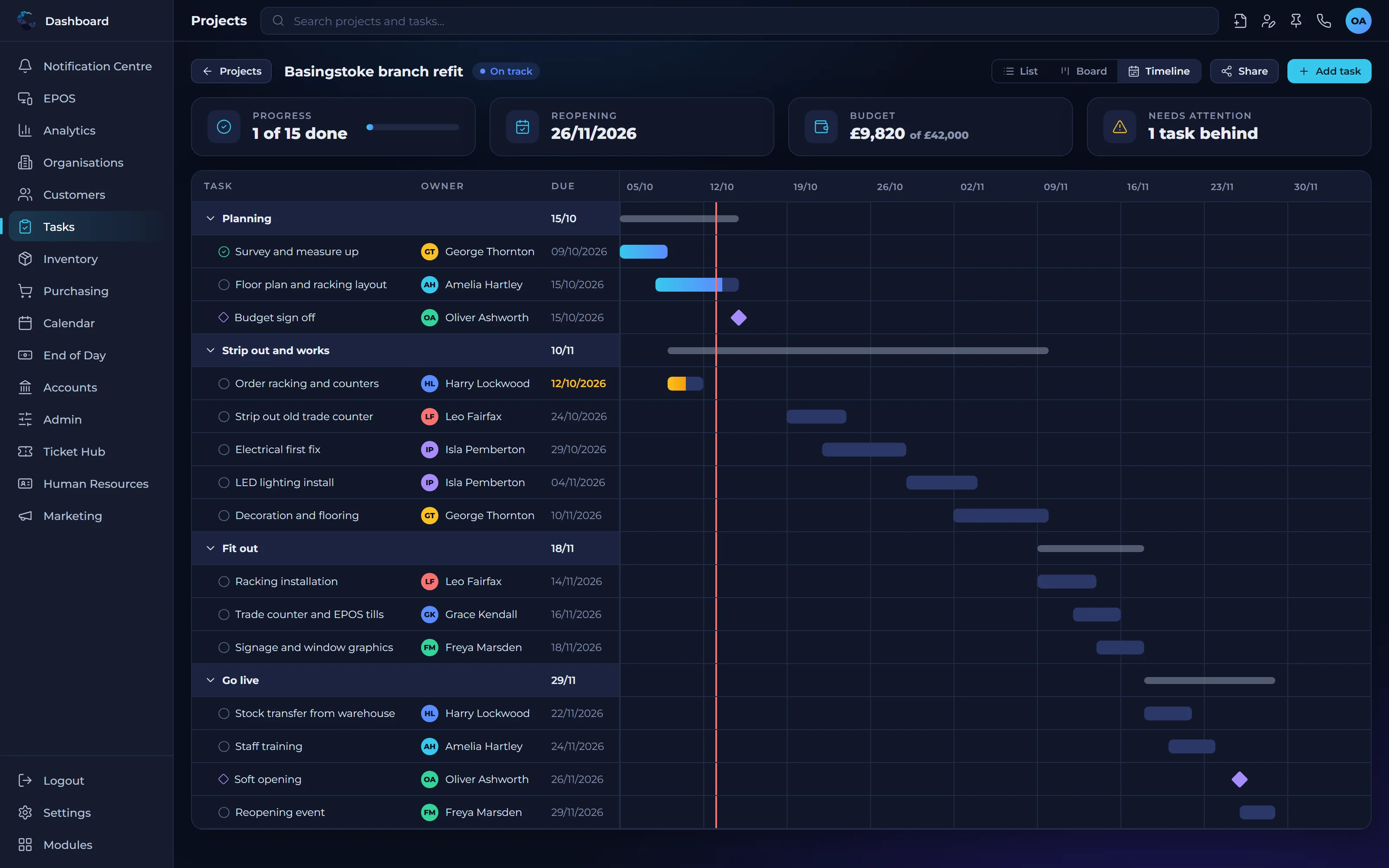
What project management software for business delivers inside your ERP
Projects on schedule
Clear ownership and deadlines help teams spot delays early and keep work moving.
No more disconnected tools
Projects link directly to customers, orders and invoices, so information is never copied between systems.
Better decisions
Managers see progress across every project in one place and can direct effort where it is needed.
Project management capabilities
Project planning
Break projects into tasks, set deadlines and assign each piece of work to the right person.
Task tracking
Track the status of every task so the team always knows what is outstanding.
Team visibility
See workloads across the team and rebalance work before deadlines are put at risk.
Customer links
Connect each project to the customer record so history and contacts are always to hand.
Automated next steps
Use condition based workflows to trigger the next task automatically when a stage is complete.
Project reporting
Report on progress across all projects from live data, not manually updated trackers.
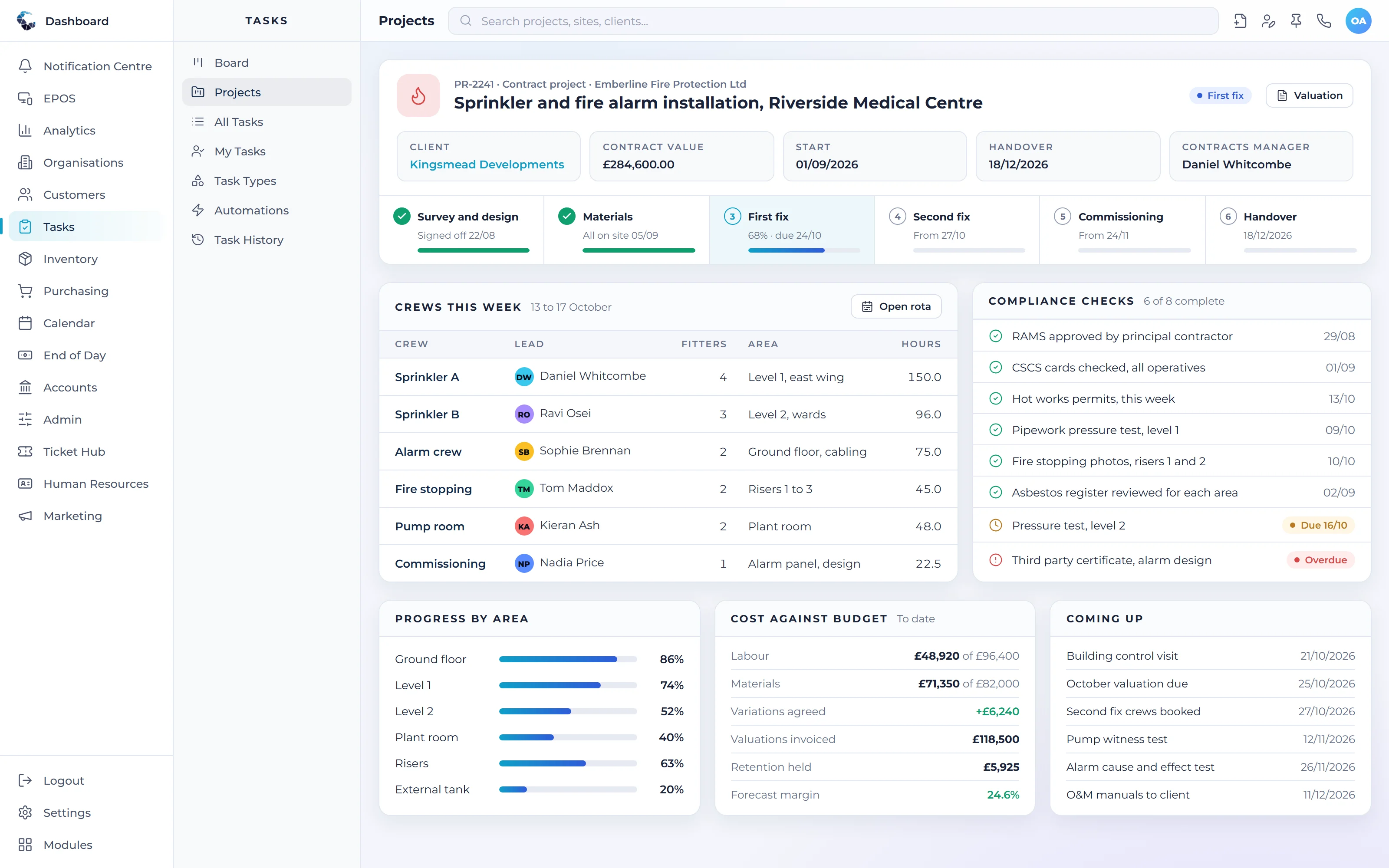
Make Project Management work your way
Define your own tasks and procedures, then let condition based workflows trigger the next step automatically. Central ERP adapts to how your business already works.
Works seamlessly with
Every Central ERP module shares the same live data, so information flows between teams without rekeying.
See Project Management in action
A tailored demo, built around your processes, with no obligation.
Project Management: your questions answered
What is ERP project management software?
ERP project management software is project planning and tracking built into your business management system. Instead of a separate app, projects sit alongside customers, stock and finance. In Central ERP, this means tasks, deadlines and progress are linked to the orders and invoices they relate to, giving a complete picture of every project.
Why use project management inside an ERP?
Using project management inside an ERP removes the gaps between separate tools. Project details, customer records and invoicing share the same data, so nothing is copied or lost. Managers get one view of progress across the business, and teams spend less time updating multiple systems and more time delivering the work.
Can tasks be automated when a project stage is complete?
Yes. Central ERP's custom task engine lets you set conditions that trigger the next step automatically. When one stage is marked complete, the following task can be created and assigned without anyone having to remember. This keeps projects moving and makes sure your standard procedures are followed every time.
Is Central ERP project management suitable for small teams?
Yes. Central ERP is designed for SMEs, so project management is straightforward to use for small teams while still scaling as you grow. You can start with simple task tracking and add automation, reporting and other modules when you need them, all with support from our UK team.
What should I look for in project management software for business?
Look for clear task ownership, deadlines, team visibility and reporting, plus links to the customers and invoices each project relates to. Central ERP provides these inside your ERP, with condition based automation to move work forward, so projects are not managed in a separate tool that drifts out of date.
How do I track project progress across a small team?
Track progress by giving every task an owner, a deadline and a status in one shared system. Central ERP does this and reports on all projects from live data, so managers can see what is outstanding, spot delays early and rebalance work without chasing updates or maintaining a separate tracker.