
Finance
Payroll software for business that is connected to your people and finance
Central ERP includes payroll software for business that works from the same employee records as your HR module. Pay information sits alongside your people data and financial figures, so pay runs involve less rekeying, fewer errors and a clearer view of what your workforce costs.
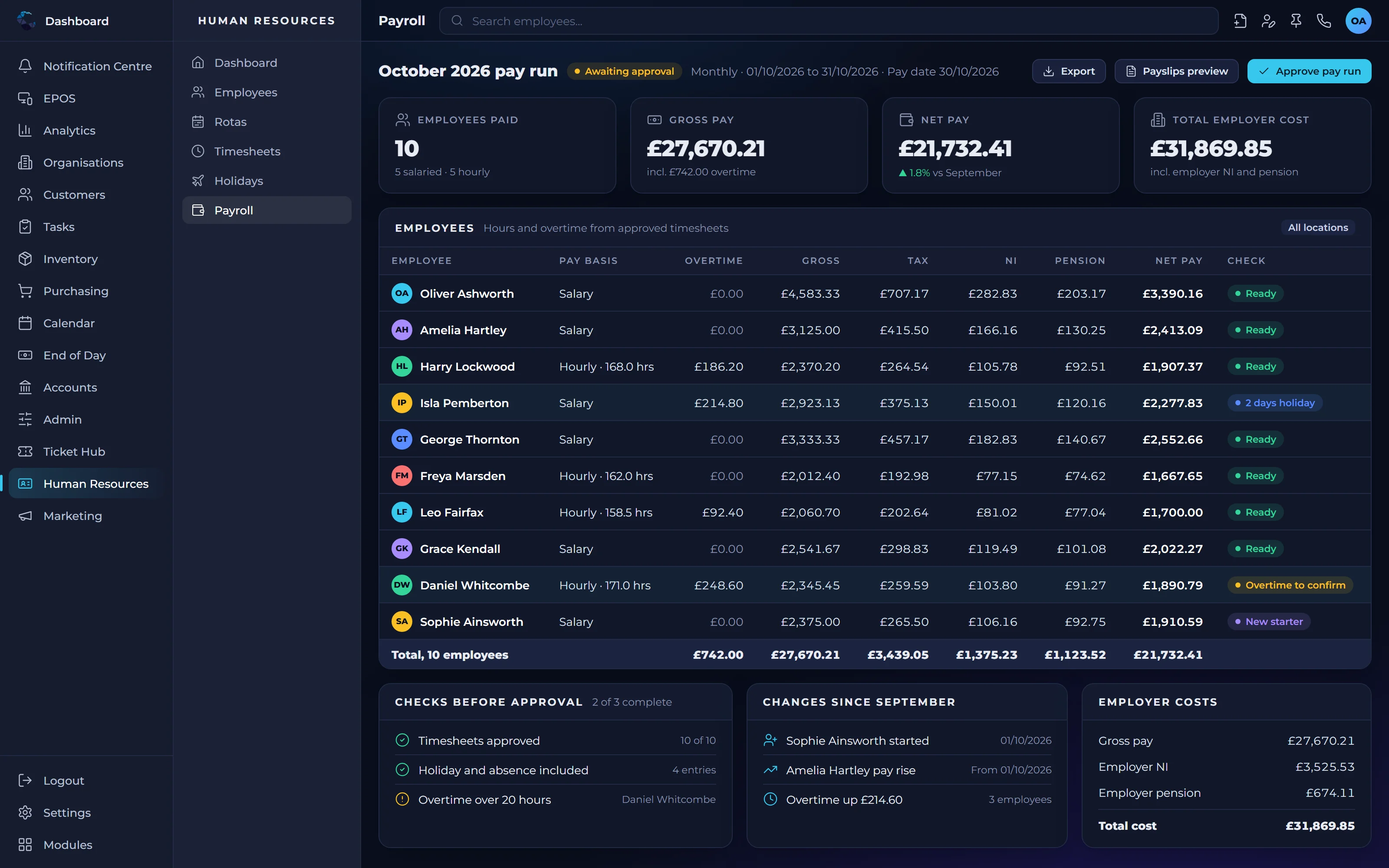
What payroll software for business should take off your plate
One set of employee data
Payroll uses the same people records as HR, so changes to roles or details only need entering once.
Fewer pay errors
Less manual transfer of information between systems means fewer mistakes and fewer corrections after the event.
Clear labour costs
Payroll figures connect to your finance and reporting, giving a true picture of what your people cost the business.
Payroll features
Linked employee records
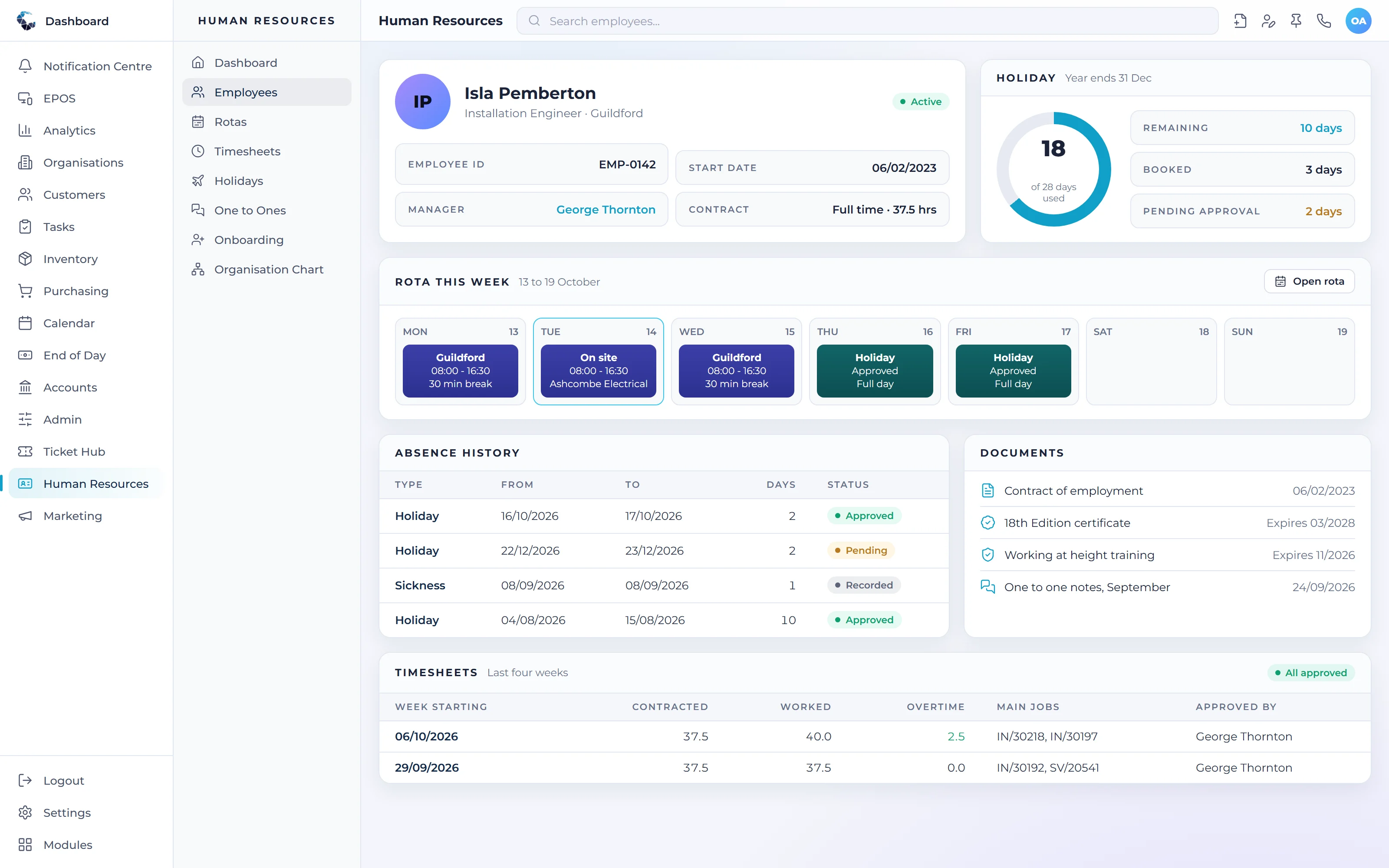
Pay details are held against each employee's HR record, keeping people information in one place.
Pay runs
Prepare and review pay runs from a single system rather than collating figures from several sources.
Secure access
Restrict pay information to authorised users with role based access control.
Payroll records
Keep a clear history of pay for each employee, available when you need to refer back.
Cost reporting
Report on staff costs by team, location or period alongside the rest of your financial data.
Finance connection
Payroll totals feed into your financial records, reducing journal entry and reconciliation work.
Make Payroll work your way
Define your own tasks and procedures, then let condition based workflows trigger the next step automatically. Central ERP adapts to how your business already works.
Works seamlessly with
Every Central ERP module shares the same live data, so information flows between teams without rekeying.
See Payroll in action
A tailored demo, built around your processes, with no obligation.
Payroll: your questions answered
What is payroll software for business?
Payroll software for business helps a business calculate, prepare and record staff pay. In Central ERP, payroll is connected to your HR records and financial data, so employee details are entered once and pay figures flow into your finances. That reduces manual work and the risk of errors that come from copying data between systems.
Should payroll be part of my ERP system?
Having payroll inside your ERP system means employee data, pay and labour costs are all in one place. With Central ERP, changes made in HR are reflected in payroll, and pay totals feed into finance and reporting. For many SMEs, that removes a separate system and gives a clearer view of workforce costs.
Is payroll data secure in Central ERP?
Yes. Central ERP uses role based access control, so pay information is visible only to the people authorised to see it. The platform is built and supported by Disking Technologies, part of a long established UK IT services group, giving you a partner with real experience in protecting sensitive business data.
Can Central ERP payroll work with my HR records?
Yes. Payroll and Human Resources in Central ERP share the same employee records. When you add a starter, change a role or record a leaver in HR, that information is available to payroll without being entered again. It keeps your people data consistent and saves time every pay period.
How do I choose payroll software for business?
Choose payroll software for business that works from the same employee records as your HR system and feeds pay totals into your finances. That avoids keying staff details twice. Central ERP does both, and our UK team can show you during a demo how payroll would fit around your existing processes.
Can I report on staff costs by team or location?
Yes. Central ERP reports on staff costs by team, location or period alongside the rest of your financial data. Because payroll is linked to HR and finance, you can see what each part of the business really costs to run and use those figures when planning recruitment, pricing or budgets.