
Operations & Supply
Inventory management software for business with stock you can rely on
Central ERP provides inventory management software for business that shows accurate stock levels across every location. Because stock is linked to sales, purchasing and finance, every movement updates the whole business, so you can reduce stockouts, avoid over ordering and free up cash tied up on the shelf.
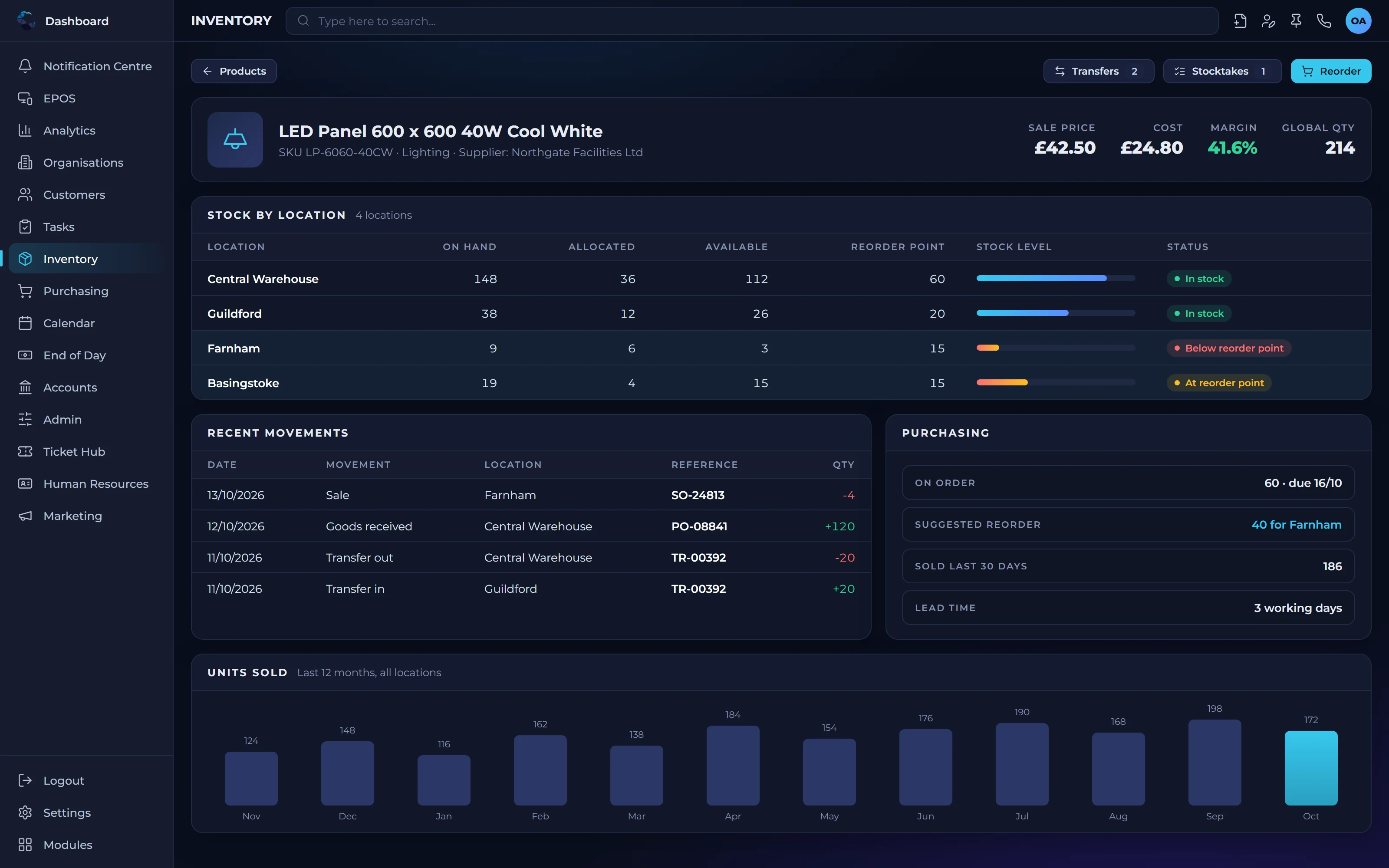
What inventory management software for business delivers
Fewer stockouts
Live stock levels show what is running low, so you can reorder before customers are let down.
Less cash tied up
A clear view of what is selling and what is not helps you buy the right quantities and cut excess stock.
Accurate records without the counting
Sales, receipts and transfers update stock automatically, reducing the need for manual checks and corrections.
Inventory management features
Live stock levels
See current quantities for every product, updated as goods are sold, received or moved.
Multiple locations
Track stock across warehouses, stores, vans or sites, and see where each item is held.
Stock movements
Record goods in, goods out and transfers between locations with a clear history of every movement.
Purchasing link
Raise purchase orders from stock information and update levels automatically when goods arrive.
Product catalogue
Maintain product details and prices once and use them across sales, POS and ecommerce.
Stock reporting
Report on stock value, movement and performance to guide buying and pricing decisions.
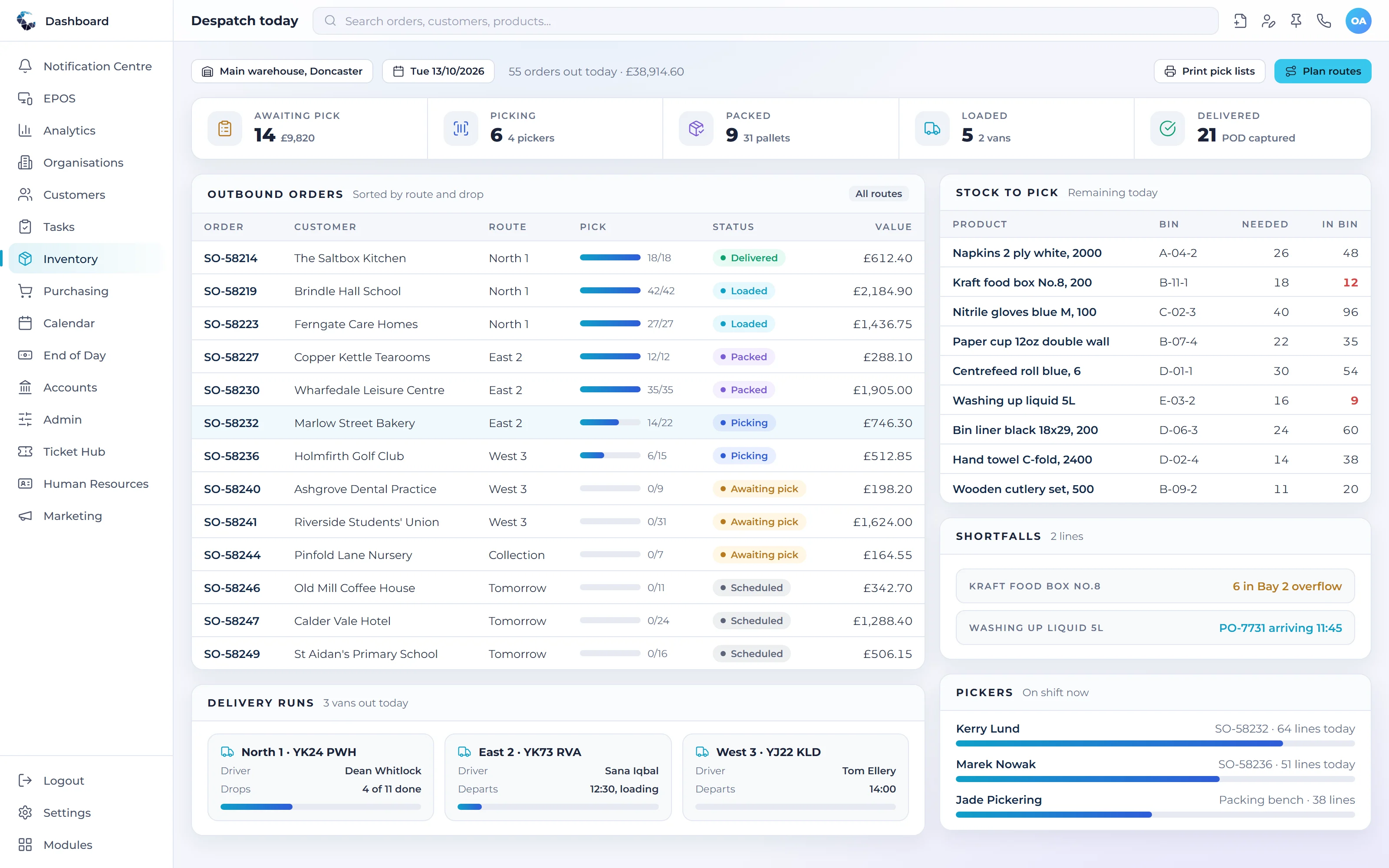
Make Inventory Management work your way
Define your own tasks and procedures, then let condition based workflows trigger the next step automatically. Central ERP adapts to how your business already works.
Works seamlessly with
Every Central ERP module shares the same live data, so information flows between teams without rekeying.
See Inventory Management in action
A tailored demo, built around your processes, with no obligation.
Inventory Management: your questions answered
What is inventory management software for business?
Inventory management software for business tracks the stock a business holds, where it is and how it moves. Central ERP links inventory to sales, purchasing and finance, so every sale, delivery or transfer updates stock levels automatically. That gives you reliable figures for ordering and pricing, without depending on manual counts and spreadsheets.
Can inventory software track stock in more than one location?
Yes. Central ERP tracks stock across multiple locations, such as warehouses, shops, vans and sites. You can see how much of each product is held in each place and record transfers between them. That helps you move stock to where it is needed and avoid ordering items you already have elsewhere.
When should a business move from spreadsheets to inventory software?
A business should move from spreadsheets to inventory software when stock figures can no longer be trusted. Common signs include frequent stockouts, over ordering, time lost on manual counts and sales that do not match stock. Central ERP replaces those spreadsheets with live, connected stock records shared across the whole business.
Does Central ERP inventory link to my accounts?
Yes. Stock movements in Central ERP connect to purchasing, sales and financial records, so the value of your stock and the cost of goods sold reflect real activity. Central ERP also integrates with Xero, QuickBooks and Sage, keeping your accounts package in step with your operations.
How much does inventory management software for business cost?
Central ERP has a Free plan covering up to 100 products and 2 locations, which suits businesses just starting out. Standard costs £40 and Complete £80 per user per month, excluding VAT, with unlimited locations on Complete and Custom plans for larger needs. Stock is connected to sales, purchasing and finance throughout.
Can inventory software tell me when to reorder stock?
Yes. Central ERP shows live stock levels and highlights what is running low, so you can reorder before customers are let down. Purchase orders can be raised from that stock information, and levels update automatically when goods arrive, keeping your figures accurate without manual adjustments or end of week counts.