
Finance
Financial management software for business that shows where you stand today
Central ERP gives you financial management software for business that is connected to everything else the business does. Invoices, costs and cash are linked to sales, purchasing and stock, so your figures are current, your month end is quicker and decisions are based on fact rather than estimates.
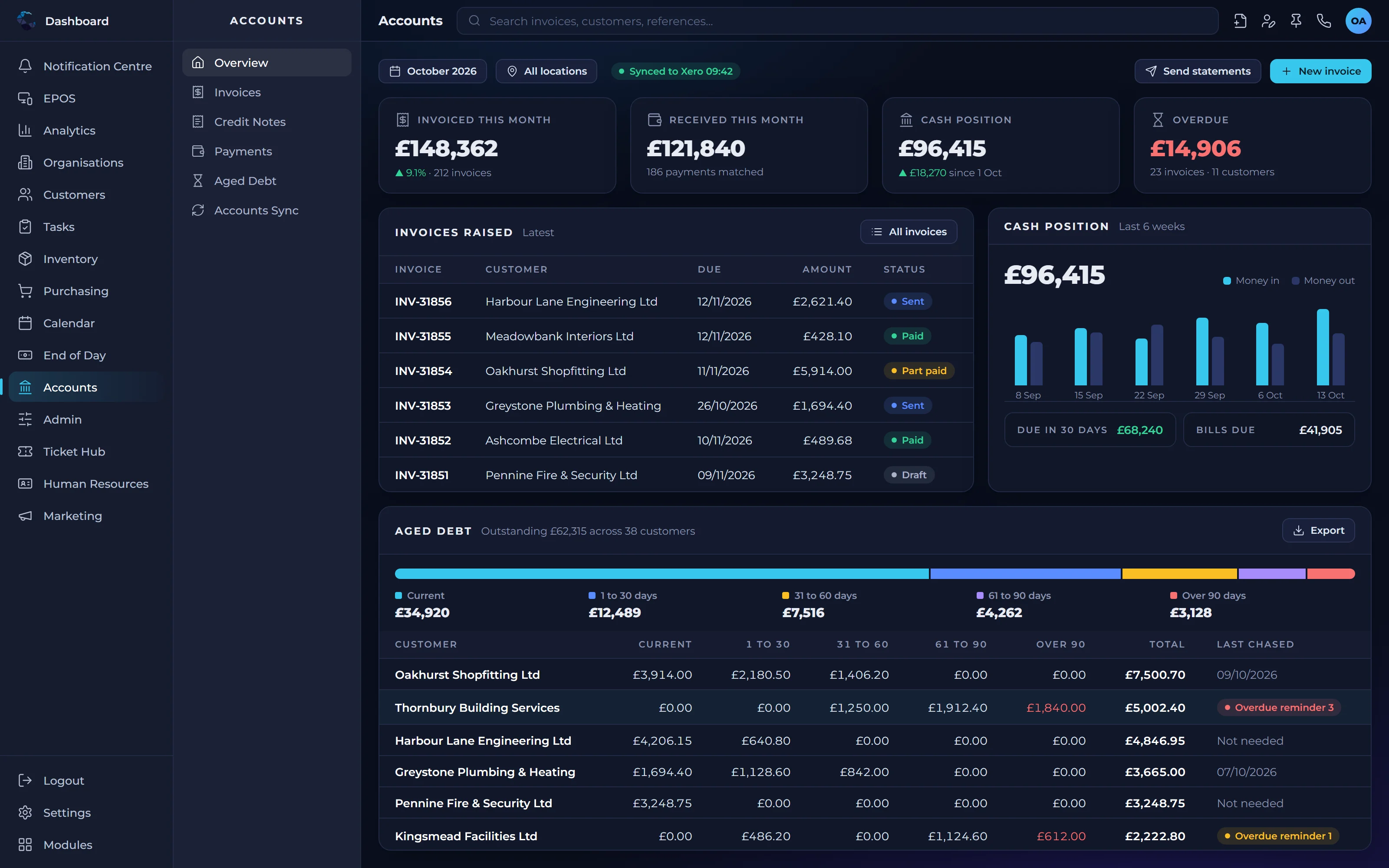
How financial management software for business improves control
Live financial visibility
See sales, costs and cash as they happen, rather than waiting for spreadsheets to be compiled at month end.
Less double entry
Financial transactions are created from the sales and purchases already in the system, removing rekeying and the errors it brings.
Your accountant stays happy
Integration with Xero, QuickBooks and Sage means your finance team can keep the accounts package they trust.
Financial management features
Invoicing
Create invoices directly from orders and completed work, so nothing billable is missed.
Purchase costs
Record supplier costs against purchase orders to understand what the business is spending and why.
Cash visibility
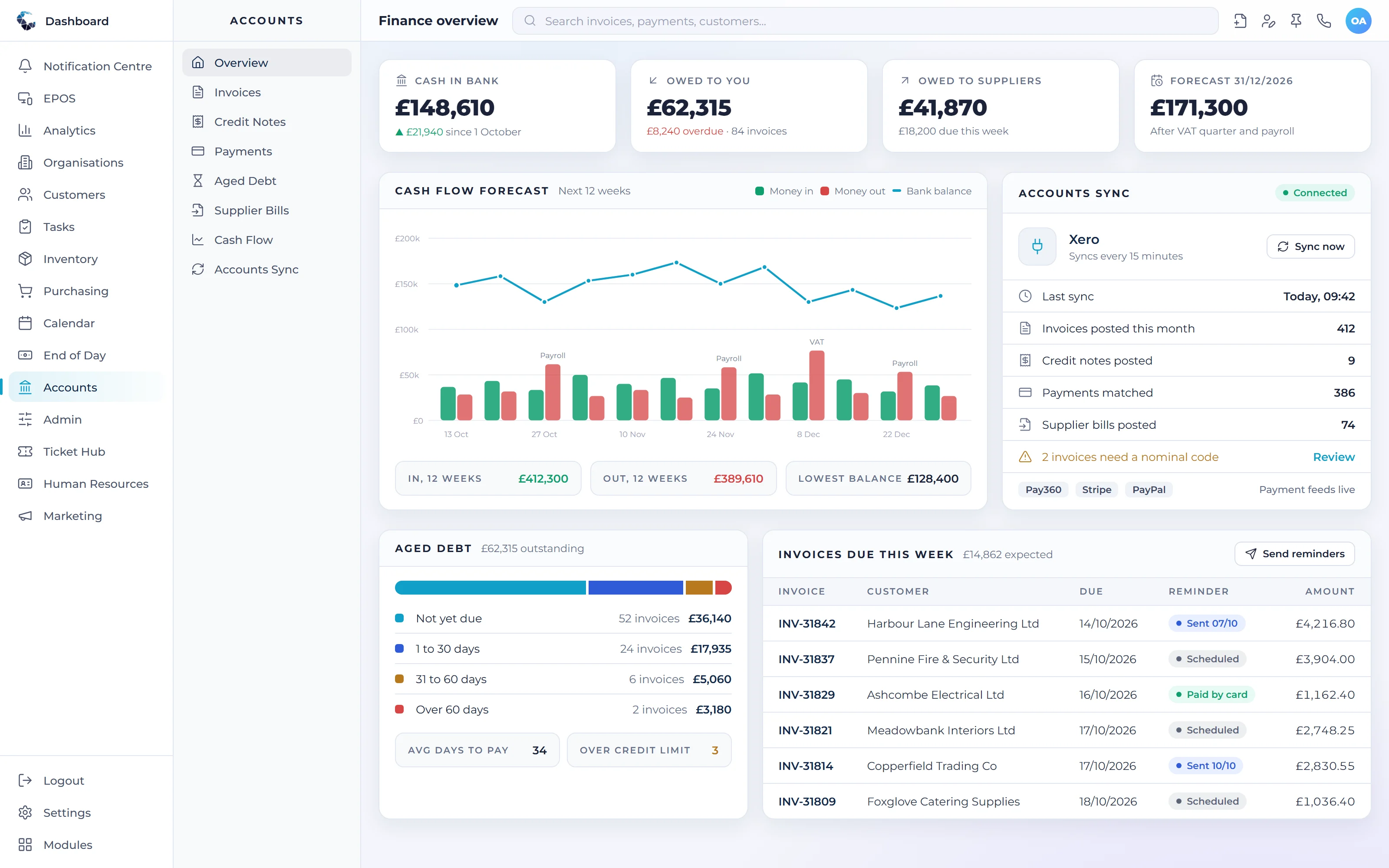
See what is owed to you and what you owe, helping you plan cash with more confidence.
Accounts integration
Connect to Xero, QuickBooks or Sage through their APIs so financial data flows across automatically.
Financial reporting
Report on revenue, costs and margins across customers, products and locations.
Approval controls
Set who can raise, approve and edit financial records, with automated approvals available above set values.
Make Financial Management work your way
Define your own tasks and procedures, then let condition based workflows trigger the next step automatically. Central ERP adapts to how your business already works.
Works seamlessly with
Every Central ERP module shares the same live data, so information flows between teams without rekeying.
See Financial Management in action
A tailored demo, built around your processes, with no obligation.
Financial Management: your questions answered
What is financial management software for business?
Financial management software for business helps a business control invoicing, costs and cash in one place. Central ERP goes further by linking finance to sales, purchasing and stock, so financial figures are created from real activity rather than typed in separately. The result is more accurate numbers and a clearer, more current view of performance.
Does Central ERP replace Xero, QuickBooks or Sage?
It does not have to. Central ERP integrates with Xero, QuickBooks and Sage through their APIs, so your accountants can keep using the package they know. Central ERP runs the operational side of the business, and financial data flows into your accounts automatically, removing double entry between the two systems.
How does ERP speed up month end?
ERP speeds up month end because sales, purchases and stock movements are already recorded in one connected system. Instead of collecting figures from several spreadsheets and apps, your finance team works from data that is current and consistent. Central ERP reduces the reconciliation and chasing that usually slows the close down.
Is financial data secure in a cloud ERP?
Yes. Central ERP is a cloud system built and supported by Disking Technologies, part of a long established UK IT services group. Access is controlled by role, so people only see the financial information relevant to them, and the platform is managed by a team with deep experience in secure business systems.
Can financial management software for business show what I am owed?
Yes. Central ERP shows what customers owe you and what you owe suppliers, drawn from the invoices and purchase orders already in the system. Because these figures update as the business trades, you can plan cash with more confidence instead of waiting for month end spreadsheets to be compiled.
Can I control who approves spending in Central ERP?
Yes. You set who can raise, approve and edit financial records, and automated approvals can be triggered above values you choose. Access is role based, by user, role, location and department, so people only handle the figures relevant to them while larger commitments always reach the right decision maker.