
Services & People
Field service management software for callouts and installs
Central ERP's field service management software brings callouts, installs, engineers and customers into one connected system. Schedule work with confidence, give your team everything they need on site and turn completed jobs into invoices without the paperwork.
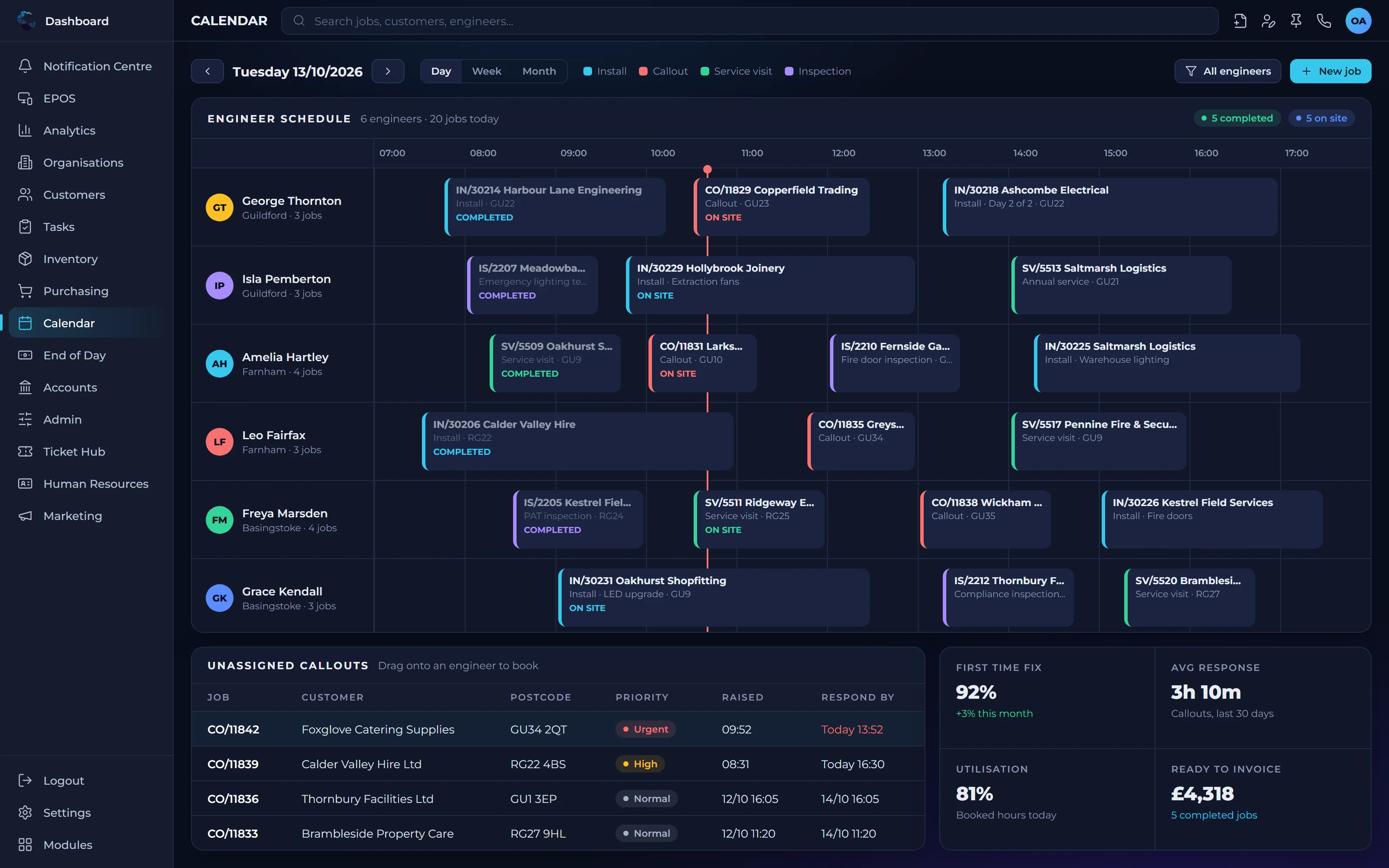
What field service management software does for your team
More jobs completed
Clear schedules and complete job information help engineers arrive prepared and finish the work first time.
Faster invoicing
Completed jobs flow straight into invoicing, so you get paid sooner and nothing is forgotten.
One integrated platform
Unlike standalone field service tools, Central ERP connects jobs with stock, customers, people and finance.
Callout and install management capabilities
Job scheduling
Plan callouts and installs, assign engineers and see who is working where at a glance.
Callout management
Log reactive callouts quickly and get the right engineer to the customer without delay.
Install management
Plan installs from order to completion, with the parts, people and procedures each one requires.
Customer and site history
Give engineers the customer record and past job history before they arrive on site.
Parts and stock
Link the parts used on each job to your inventory, so stock stays accurate and costs are captured.
Custom job procedures
Define the checks, forms and follow ups each job type needs, then automate them with condition based workflows.
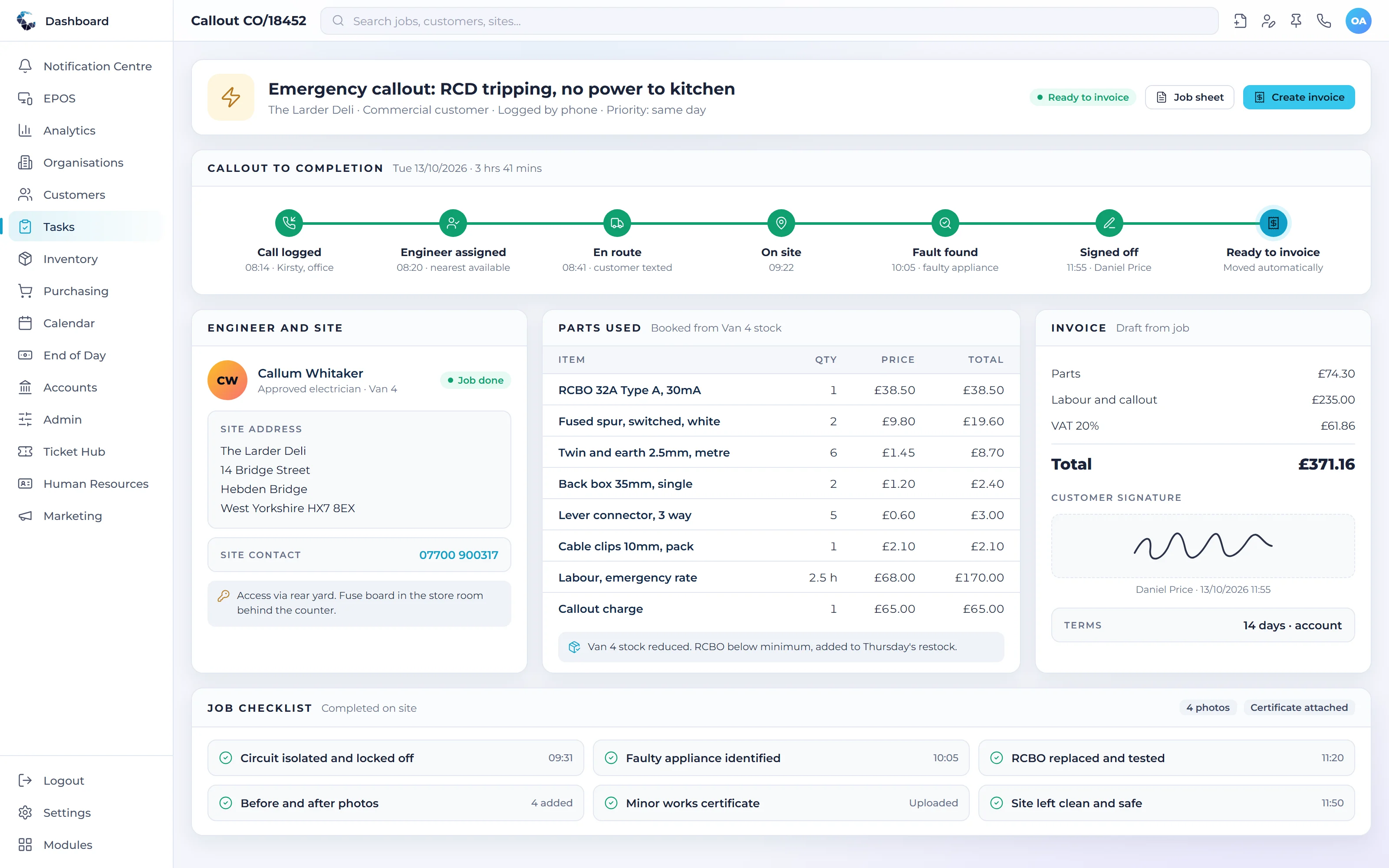
Make Field Service Management work your way
Define your own tasks and procedures, then let condition based workflows trigger the next step automatically. Central ERP adapts to how your business already works.
Works seamlessly with
Every Central ERP module shares the same live data, so information flows between teams without rekeying.
See Field Service Management in action
A tailored demo, built around your processes, with no obligation.
Field Service Management: your questions answered
What is field service management software?
Field service management software helps businesses plan, carry out and bill work done at customer sites. It covers scheduling, engineer allocation, job details and completion. Central ERP manages callouts and installs within the same system as your customers, stock and finance, so every job is connected from first contact to final invoice.
How is Central ERP different from standalone field service apps?
Central ERP is one integrated platform covering the whole business, not just field service. Standalone apps handle jobs but often need separate systems for stock, customers and accounts. With Central ERP, jobs, parts, people and invoicing share the same data, removing double entry and giving managers a complete view of performance.
Can I manage both callouts and installs in one system?
Yes. Central ERP handles reactive callouts and planned installs in the same field service module. Each can have its own procedures, so a callout might follow a quick diagnostic process while an install follows a longer checklist with sign off. Both link to the same customer, stock and invoicing records.
Can field service jobs follow our own procedures?
Yes. Central ERP's custom task engine lets you define the steps each job type must follow, such as safety checks, photos or customer sign off. You can set conditions that trigger automated actions, like a follow up after every install, so your standards are applied consistently by every engineer on every job.
How much does field service management software cost?
Central ERP is priced per user, at £40 per month on Standard and £80 on Complete, excluding VAT, with Custom plans available. Field service runs in the same system as your customers, stock and finance, so you are not paying for a separate job management app alongside other tools.
Can engineers see a customer's job history before a visit?
Yes. Central ERP gives engineers the customer record and past job history before they arrive on site. Knowing what was done last time, which parts were used and any notes from previous visits helps them arrive prepared, diagnose problems faster and complete more jobs on the first visit.