
Sales & Customers
CRM software for business that connects every customer to everything else
Central ERP gives you CRM software for business that keeps every customer, contact and conversation in one place. Because it sits inside the same system as your sales, stock and invoicing, your team always sees the full picture of each relationship, not just the part held in their own spreadsheet.
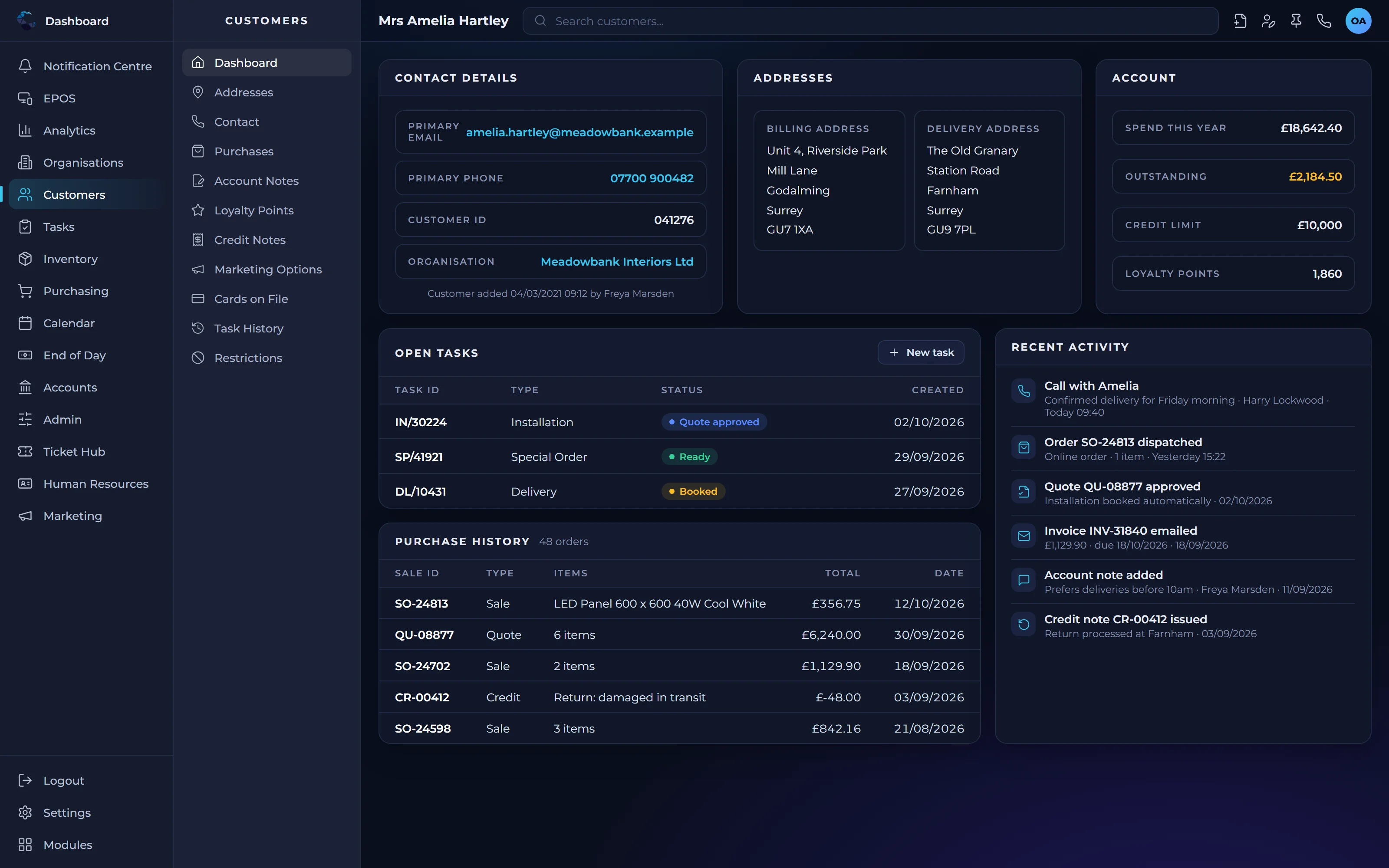
What CRM software for business should do for you
One view of every customer
Contacts, organisations, orders, invoices and notes sit together, so anyone in the team can pick up a conversation with full context.
Fewer opportunities missed
Follow ups, tasks and reminders are tracked in the system rather than in someone's inbox, so promising leads do not go cold.
Better service, less chasing
When sales, operations and finance share the same customer record, questions get answered first time without passing them around the office.
Customer record management features
Contacts and organisations
Store people and the businesses they belong to, with their details, history and relationships kept up to date in one record.
Activity and notes
Log calls, emails, meetings and notes against each customer so the whole team can see what was said and agreed.
Sales history
See past quotes, orders and invoices for each customer alongside their contact details, without switching to another system.
Tasks and follow ups
Assign follow ups to colleagues with due dates, so every enquiry and opportunity has a clear owner and next step.
Audience lists and campaigns
Group customers by type, region or activity into audience lists, then run marketing campaigns to them from the same customer data.
Access control
Decide who can view and edit customer information, keeping sensitive details available only to the people who need them.
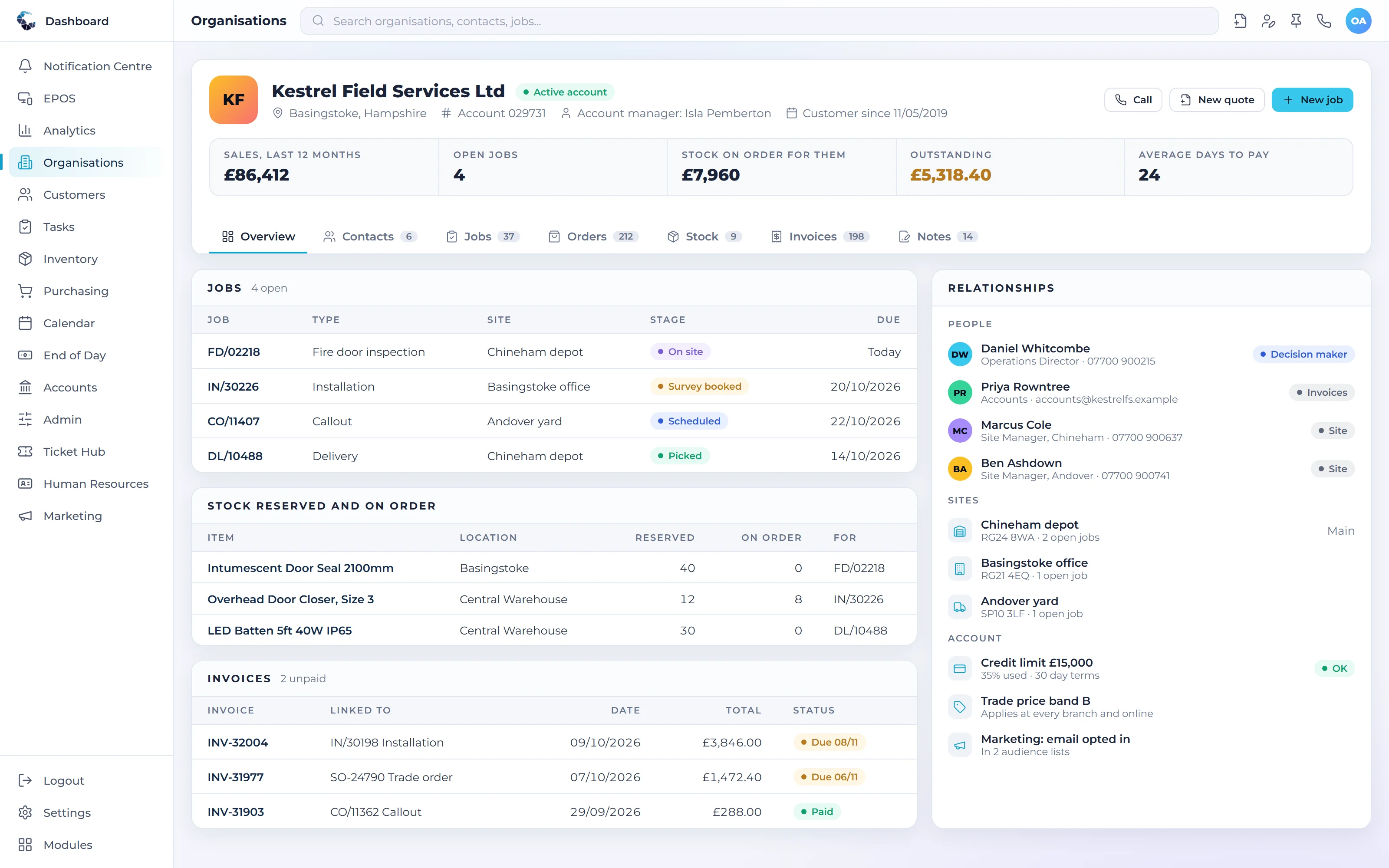
Make Customer Record Management work your way
Define your own tasks and procedures, then let condition based workflows trigger the next step automatically. Central ERP adapts to how your business already works.
Works seamlessly with
Every Central ERP module shares the same live data, so information flows between teams without rekeying.
See Customer Record Management in action
A tailored demo, built around your processes, with no obligation.
Customer Record Management: your questions answered
What is the best CRM software for business?
The best CRM software for business is one that connects customer records to the rest of the business. A standalone CRM shows contacts, but not orders, stock or invoices. Central ERP links all of these in one system, so your team works from the same customer information without rekeying data between separate tools.
Is CRM part of an ERP system?
Yes, in an integrated ERP system like Central ERP, CRM is one of the core modules. Customer records are shared with sales, inventory, invoicing and reporting, so a new order or payment updates the customer's history automatically. This avoids the gaps and duplicate data that come from running a separate CRM alongside other software.
Can I move my existing customer data into Central ERP?
Yes. Our UK team helps you bring existing customer and contact data into Central ERP as part of implementation, whether it currently sits in spreadsheets, an older CRM or your accounts package. We review and tidy the data with you first, so you start with clean, reliable customer records from day one.
Does Central ERP CRM work for business to business sales?
Yes. Central ERP is designed around how SMEs actually sell, including business to business relationships. You can record organisations and the individual contacts within them, track conversations and follow ups, and see each account's orders and invoices together, giving your team a complete picture of every customer relationship.
How much does CRM software for business cost?
Central ERP includes CRM on every plan, starting with a Free plan for up to 50 customers. Paid plans are £40 per user per month on Standard and £80 on Complete, excluding VAT. Because CRM sits alongside sales, stock and invoicing, you are not paying for a separate system just to manage customers.
Can I control who sees customer information in a CRM?
Yes. Central ERP uses role based access control, so you decide who can view and edit customer records by user, role, location and department. Sensitive details stay with the people who need them, while the rest of the team still sees enough to serve customers well. Data is hosted on Microsoft Azure in European data centres.
How long does it take to set up a CRM for a business?
Setting up Central ERP, including CRM, typically takes 2 to 4 weeks depending on how complex your processes are. Our UK team maps how you work, configures the system around it and trains your staff, so your team is confident using it from the first day rather than learning by trial and error.