
Finance
Payment tracking software that shows what is owed and what is paid
Central ERP includes payment tracking software that records every payment against the invoice it relates to. Your team can see at a glance what has been paid, what is outstanding and who needs a reminder, without cross checking bank statements against spreadsheets.
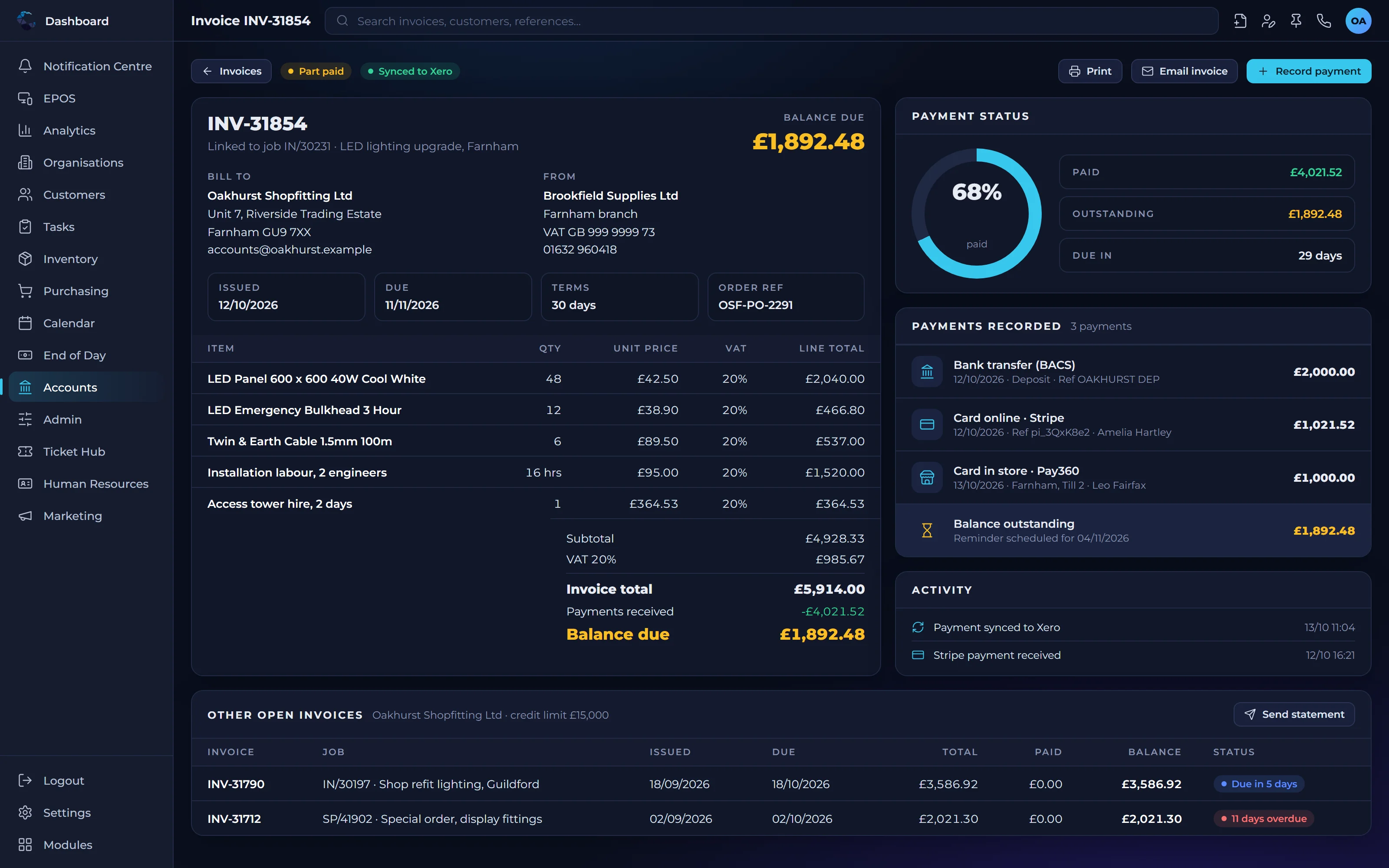
What payment tracking software means for your cash flow
A clear view of what is owed
Outstanding invoices are visible in one place, so nothing slips through and you know where your cash is.
Fewer awkward conversations
Accurate payment records mean you chase only what is genuinely overdue and never a customer who has already paid.
Joined up records
Payments sit against customers and invoices, giving sales, service and finance the same up to date picture.
Payment features
Record payments
Log payments received and record them against the relevant customer and invoice.
Match to invoices
Match payments to one or more invoices, including part payments, so balances are always correct.
Outstanding balances
See which invoices are unpaid and for how long, by customer or across the business.
Customer account view
View each customer's invoices and payments together alongside their CRM record.
Payment reporting
Report on payments received and amounts outstanding to support cash planning.
Accounts integration
Keep payment information in step with Xero, QuickBooks or Sage through Central ERP's integrations.
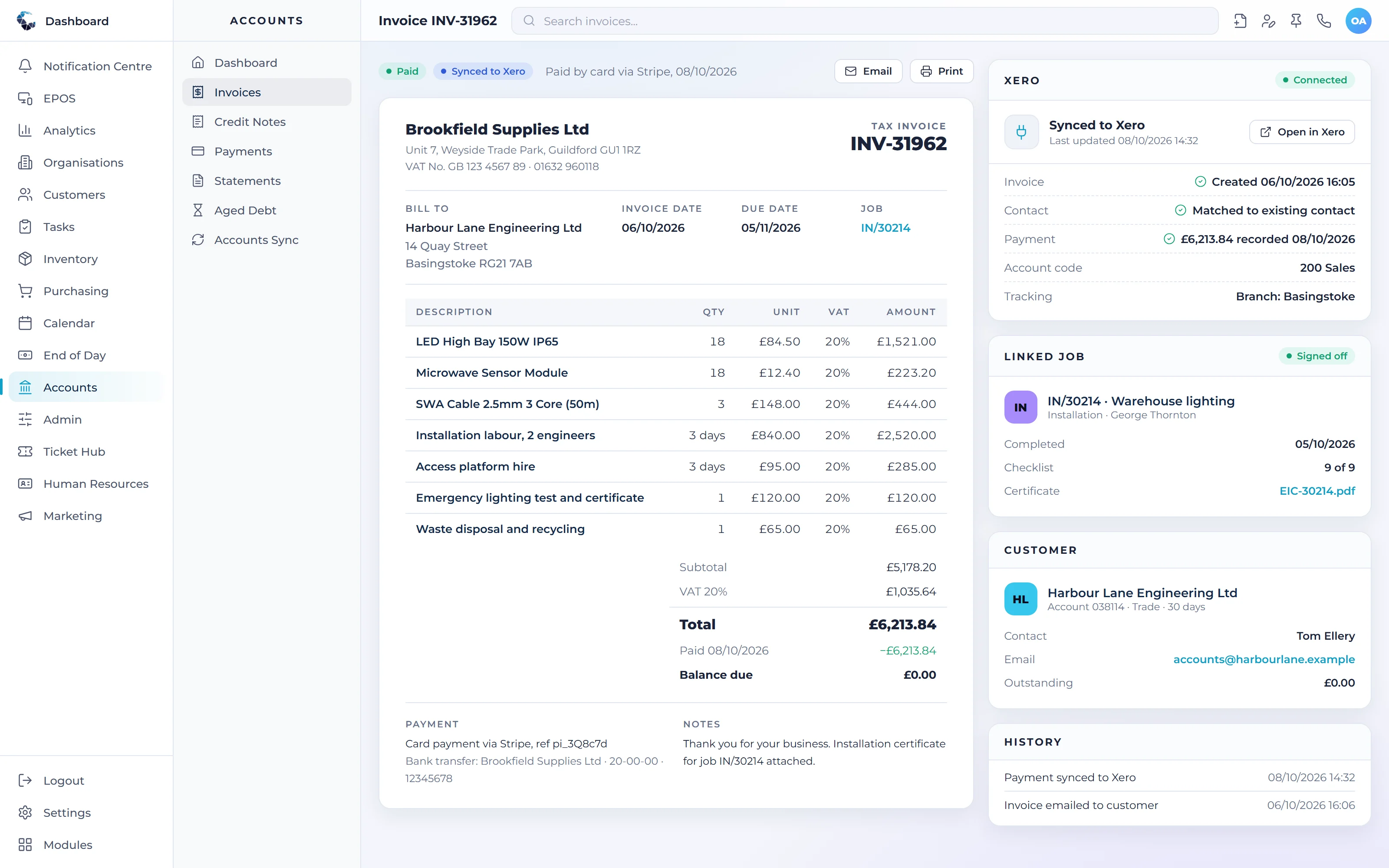
Make Payments work your way
Define your own tasks and procedures, then let condition based workflows trigger the next step automatically. Central ERP adapts to how your business already works.
Works seamlessly with
Every Central ERP module shares the same live data, so information flows between teams without rekeying.
See Payments in action
A tailored demo, built around your processes, with no obligation.
Payments: your questions answered
What is payment tracking software?
Payment tracking software records payments received and matches them to the invoices they settle. In Central ERP, payments are linked to customer records and financial data, so your team can see exactly what is owed, what has been paid and what is overdue without cross checking separate spreadsheets or bank statements.
How do I keep track of unpaid invoices?
The simplest way to keep track of unpaid invoices is to record every payment against its invoice in one system. Central ERP does this, showing outstanding balances by customer and how long each invoice has been open. That makes it easy to prioritise follow ups and gives you a reliable view of expected cash.
Can Central ERP record part payments?
Yes. Central ERP lets you record part payments against an invoice, so the remaining balance is always accurate. You can also match a single payment to more than one invoice. Customer accounts show every invoice and payment together, helping your team answer balance queries quickly and with confidence.
Will payments in Central ERP match my accounts package?
Central ERP integrates with Xero, QuickBooks and Sage through their APIs, helping keep payment information consistent between your operational system and your accounts. Our UK team will talk through how your finance processes work during implementation, so the setup reflects the way your accountant prefers to manage payments and reconciliation.
Is payment tracking software worth it for my business?
Yes, for most businesses that invoice regularly. Payment tracking software shows what is owed at a glance, reduces time spent checking bank statements and stops you chasing customers who have already paid. In Central ERP it comes with the wider platform, so there is no separate tool to buy or maintain.
Can I see which customers pay late?
Yes. Central ERP shows which invoices are unpaid and for how long, by customer or across the business. Over time this makes it easy to spot customers who regularly pay late, so you can review credit terms, prioritise follow ups and plan cash around realistic payment patterns rather than due dates.