
Integrations
ERP integration with Xero and the accounts package you already use
Central ERP provides ERP integration with Xero, QuickBooks and Sage through secure APIs, and connects to your payment provider and your WordPress website. Your finance team keeps the software they trust, while the rest of the business gains one connected system.
Connect Central ERP to your accounts
Xero
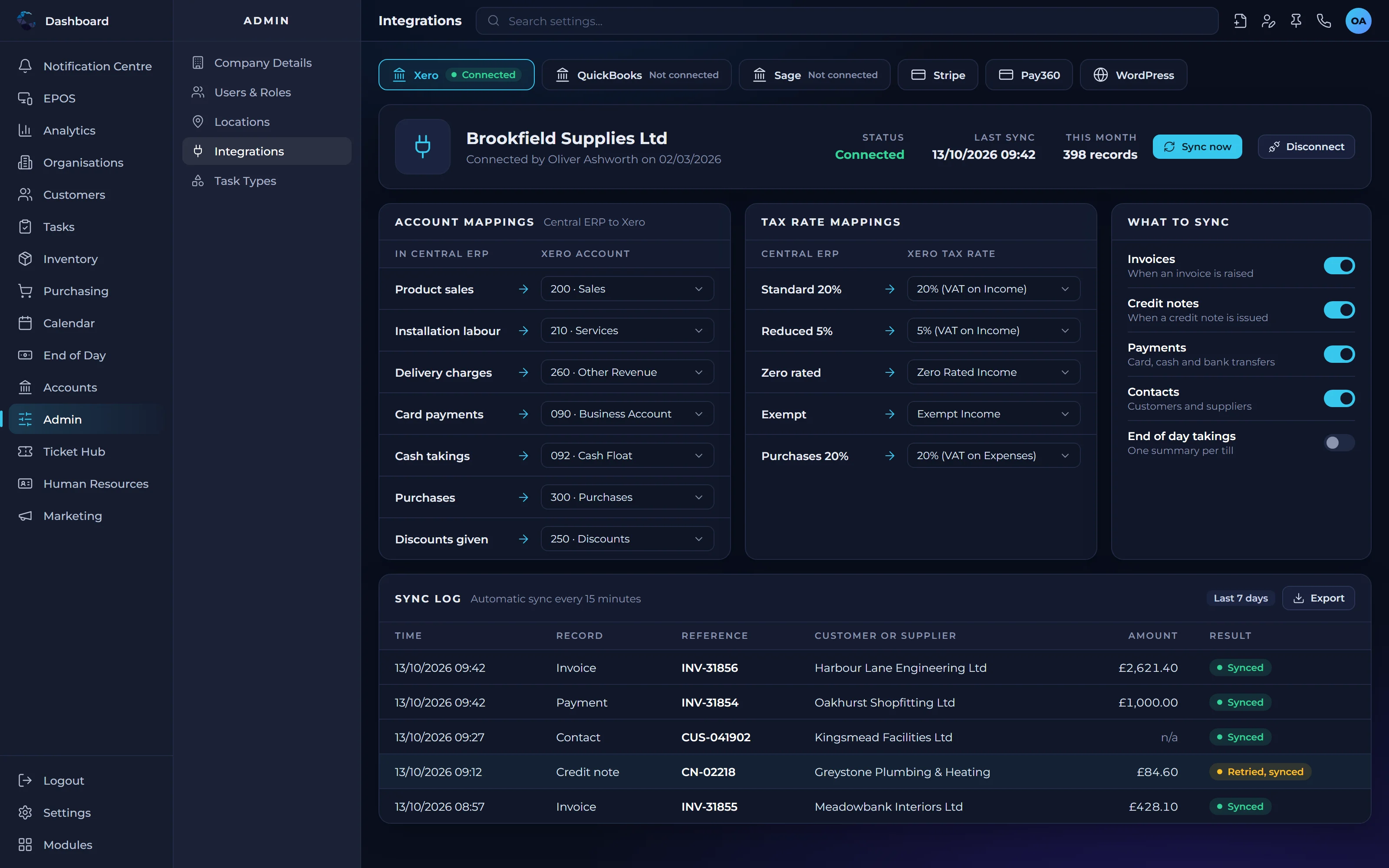
Keep Xero for your books while Central ERP runs sales, stock, jobs and people, with financial data flowing across automatically.
Central ERP and Xero comparedQuickBooks
Connect QuickBooks so invoices and transactions created in Central ERP reach your accounts without rekeying.
Central ERP and QuickBooks comparedSage
Pair Sage with Central ERP to add operational control to the accounts package your finance team already trusts.
Central ERP and Sage comparedConnect Central ERP to your payments
Take payments through the provider that suits your business, with every payment recorded against the right invoice in Central ERP.
Pay360
Take card and online payments through Pay360, with each payment recorded against the matching invoice in Central ERP.
Stripe
Take card payments online with Stripe and see each one against the right customer and invoice, without checking a separate dashboard.
PayPal
Let customers pay by PayPal, with payments matched to their invoices in Central ERP so your team knows exactly what has been paid.
Connect Central ERP to your website
Keep your WordPress website and Central ERP in step, so customers, orders and stock levels match everywhere.
WordPress
Connect your WordPress website to Central ERP to sync customers, sales and stock automatically.
Customers
New customers from your website are added to Central ERP, so your team sees every customer in one place.
Sales
Orders placed on your website arrive in Central ERP ready to fulfil and invoice, with no rekeying.
Stock
Stock levels on your website update from Central ERP, so customers do not order items you cannot supply.
Why ERP integration with your accounts matters
No more double entry
Transactions created in Central ERP flow to your accounts package, so nobody has to type the same figures twice.
Your accountant stays happy
Your finance team and external accountant keep working in the package they know, with cleaner data arriving from the rest of the business.
Operations and books in step
Sales, stock and jobs in Central ERP stay aligned with your ledgers, giving everyone more confidence in the numbers.
See Central ERP working for your business
A tailored demo, built around your processes, with no obligation.
ERP integration with Xero: your questions answered
Which accounting software does Central ERP integrate with?
Central ERP integrates with Xero, QuickBooks and Sage through their APIs. This ERP integration lets you keep your existing accounts package while Central ERP manages customers, sales, stock, jobs and people, with financial data passing across automatically so your operations and your books stay in step.
Which payment providers does Central ERP connect to?
Central ERP connects to Pay360, Stripe and PayPal. Payments taken through these providers are recorded against the matching invoices in Central ERP, so your team can see at a glance what has been paid and what is still outstanding, without logging in to several payment dashboards.
Can Central ERP sync with my WordPress website?
Yes. Central ERP integrates with WordPress to sync customers, sales and stock. New customers and orders from your website arrive in Central ERP ready to fulfil and invoice, and stock levels on your site update from Central ERP, so your website and your operations always show the same picture.
Do I need to replace my accounts package to use Central ERP?
No. Many businesses keep Xero, QuickBooks or Sage for their accounts and add Central ERP to run everything else. The integration removes double entry between the two, so your finance team keeps the tools they trust while the rest of the business gains one connected system.
Who sets up the integration?
Our UK team helps you connect Central ERP to your accounts package as part of getting started. We will talk through how your finance processes work today and make sure the integration supports them, so you go live with confidence rather than troubleshooting on your own.
Is it safe to connect an ERP system to Xero?
Yes, when the connection uses Xero's API, as Central ERP does, rather than shared logins or manual exports. Central ERP is hosted on Microsoft Azure in European data centres, with role based access control by user, role, location and department, so only the right people in your business can see financial information.
Why choose ERP integration with Xero over several Xero add ons?
ERP integration with Xero puts customers, stock, orders, jobs and people in one system, rather than several add ons each connected to Xero separately. That means fewer subscriptions to manage, one shared set of data and fewer places where information can fall out of step between your operations and your accounts.
What should I check before connecting ERP to Xero?
Check that your chart of accounts, tax rates and customer and supplier records in Xero are tidy and current, because clean data makes the connection easier to set up and trust. Agree which system is the source for each type of record. Our UK team works through these points with you during setup.