
For IT
ERP for IT teams who want fewer systems to support
Central ERP is ERP for IT teams who are stretched supporting a patchwork of spreadsheets, apps and integrations. Replacing disconnected tools with one secure cloud system means fewer logins to manage, fewer integrations to break and a clear picture of who can access what across the business.
Why ERP for IT teams makes life simpler
Fewer systems to maintain
One cloud platform replaces several separate tools, reducing the number of suppliers, renewals and integrations your team has to look after.
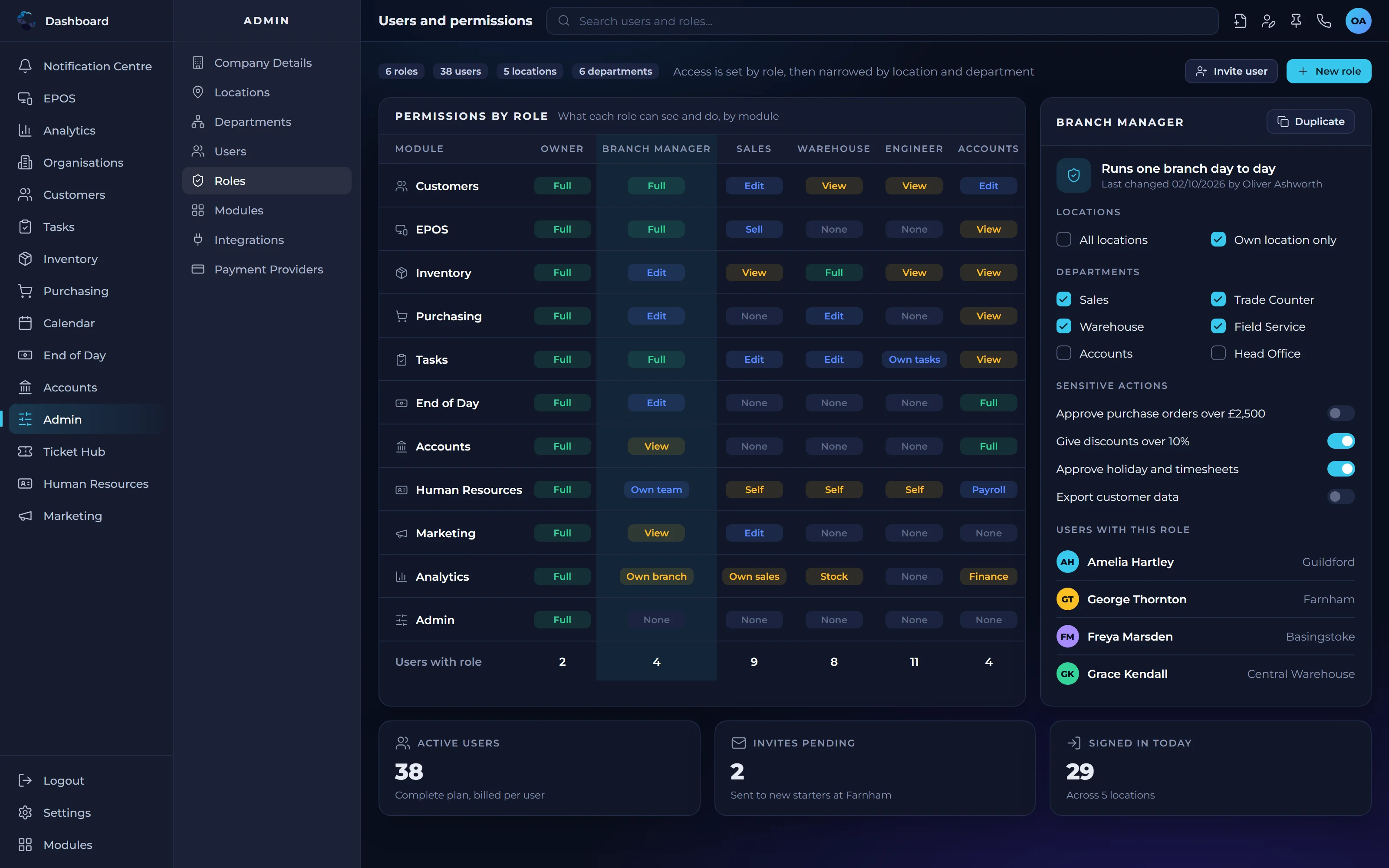
Control over access
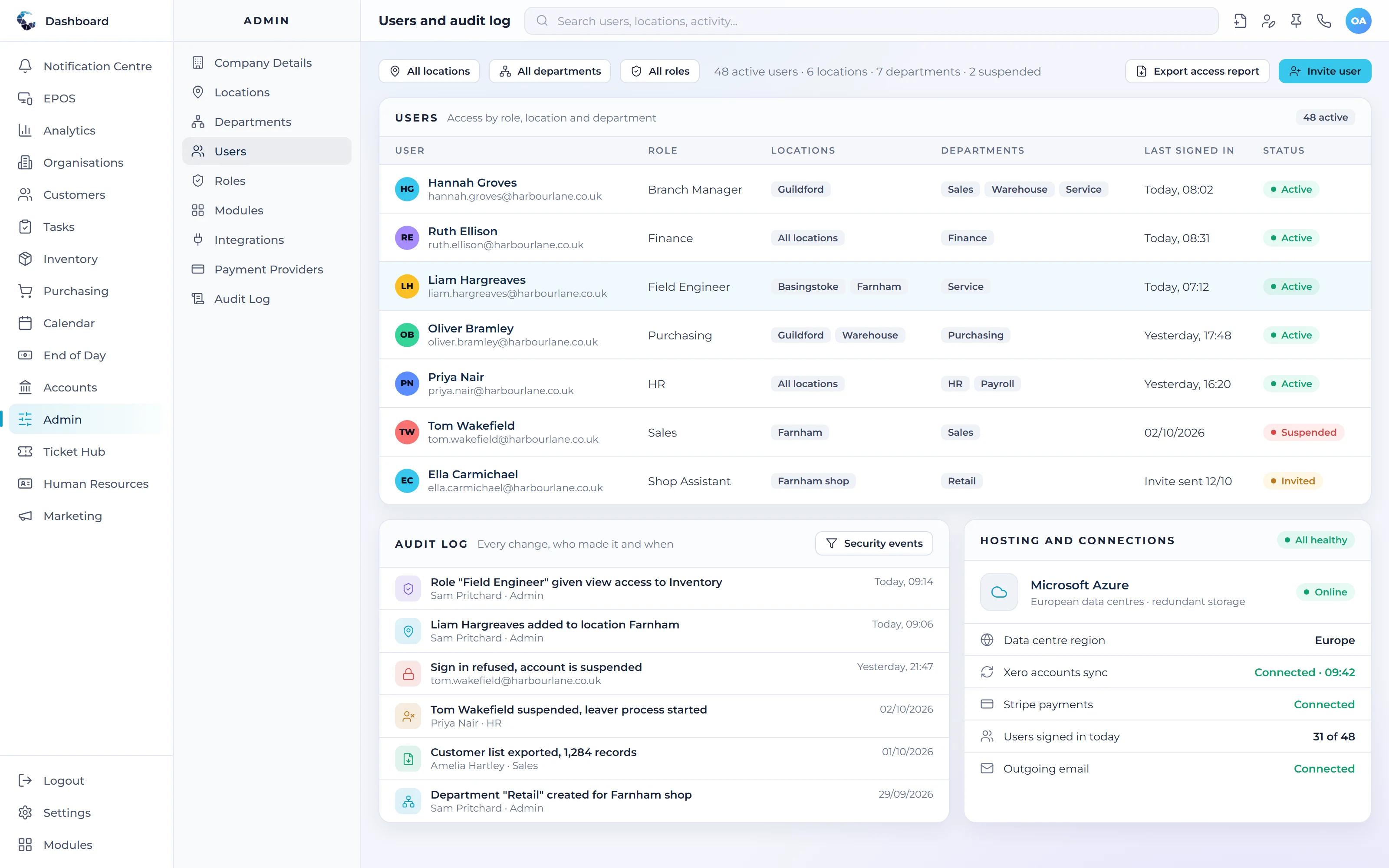
User permissions let you decide who can see and change what, so people get the access they need for their role and nothing more.
No servers to run
Central ERP is cloud based and accessed securely through a browser, so there is no on premises infrastructure to patch, back up or replace.
Integrations through APIs
Connect to Xero, QuickBooks and Sage through their APIs, rather than relying on manual exports and imports that are easy to get wrong.
Backed by IT specialists
Central ERP comes from the Disking Group, whose businesses include managed IT services and cybersecurity, so you deal with a partner that understands security and uptime.
The modules that matter most to you
Central ERP brings these together in one system, so your team works from the same live figures as everyone else.
See Central ERP working for your business
A tailored demo, built around your processes, with no obligation.
Frequently asked questions
What should IT teams look for in an ERP system?
IT teams should look for an ERP system that reduces complexity rather than adding to it. That means a secure cloud platform, clear user permissions, reliable integrations with existing software and a supplier with real IT expertise. It should replace several tools, not become one more system to support.
Is cloud ERP secure?
Cloud ERP can be very secure when it is built and supported properly. Central ERP is accessed through a browser with user permissions controlling who sees what, and it is backed by the Disking Group, whose managed IT and cybersecurity businesses understand security, resilience and the risks SMEs face.
Does cloud ERP need on premises servers?
No. Cloud ERP such as Central ERP runs online and is accessed through a web browser, so there are no on premises servers to buy, patch or back up. Your IT team avoids the cost and effort of maintaining infrastructure and can focus on supporting people and projects instead.
How does ERP reduce the number of systems IT supports?
ERP brings functions such as CRM, inventory, finance, HR and field services into one platform with one set of data. Instead of supporting separate tools, each with its own logins, renewals and integrations, IT manages a single system, which is simpler to secure, easier to support and cheaper to run.
Where is Central ERP hosted?
Central ERP is hosted on Microsoft Azure in European data centres. For IT teams, that means no servers to run on site, a widely used hosting platform and business data held in Europe, which makes conversations about where information is stored much simpler.
How do user permissions work in ERP for IT teams?
Central ERP uses role based access control, so permissions can be set by user, role, location and department. IT teams can give each person exactly the access their job requires, such as a branch manager seeing only their own site, and adjust it centrally when people join, move or leave.
What integrations does Central ERP support?
Central ERP integrates with Xero through its API, so sales, invoices and payments can flow into the accounts without manual exports. Because CRM, inventory, HR and finance are already part of one platform, most integrations IT would otherwise build and maintain between separate tools are no longer needed.